You can permanently delete your Nepal Ludo League account and the personal data linked to it at any time. The fastest way is from inside the app; if you no longer have access to the app, you can request deletion by email instead.
Option 1 — Delete in the app
- 1
Open Settings
Open the Nepal Ludo League app and sign in. Go to your Profile, then tap Settings (the gear icon).
- 2
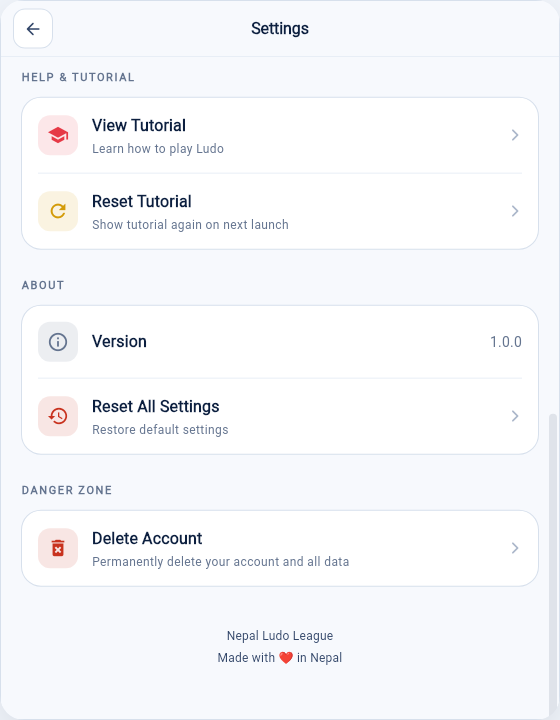
Tap "Delete Account"
Scroll to the Danger Zone at the bottom of Settings and tap Delete Account.
- 3
Confirm permanently
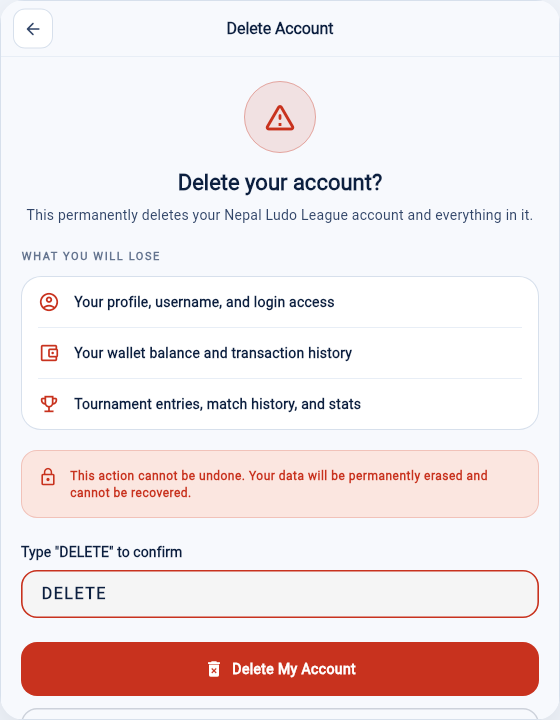
Review what will be removed, type DELETE in the confirmation box, then tap Delete My Account.
- 4
Done
Your account is permanently deleted server-side, you are signed out immediately, and you cannot recover it.
Option 2 — Request deletion by email
If you can no longer sign in to the app, email bharpardoevents@gmail.com from your registered email address with the subject "Delete my account". Include your username and registered phone number so we can verify it is you. We process verified requests within a reasonable period.
What gets deleted
- Your profile, username, and login access
- Your wallet balance and transaction history
- Tournament entries, match history, rankings, and stats
What we may keep
Some transaction, tax, and compliance records may be retained for a limited period where required by law. After that period they are deleted or anonymised. For full details see our Privacy Policy.
Need help?
Nepal Ludo League
Email: bharpardoevents@gmail.com
Website: nepalludoleague.com